-
The short answer: Okki Go (okki-go) vs Hunter comes down to cost per usable contact, not cost per credit
-
Why I stopped comparing raw email prices
-
Okki Go vs Hunter: where each one makes sense
-
What a sales trigger is—and when a B2B sales team should use it
-
Email verification: the 100% myth and the questions I ask
-
The hidden cost list for any contact database or email verification contract
-
Boundary conditions: when this advice doesn't apply
The short answer: Okki Go (okki-go) vs Hunter comes down to cost per usable contact, not cost per credit
If you only need domain-based email finding for a small list, Hunter is still a solid, no-brainer tool. If you need an agent-native prospecting workflow that combines a contact database, waterfall enrichment, intent signals, email verification, and human-in-the-loop outreach, Okki Go is the stronger fit. The deciding number isn't the sticker price per credit. It's cost per contact that passes verification, matches your ICP, and gets a real follow-up.
I'm a procurement manager at a 120-person B2B SaaS company. I've managed our sales-tech budget ($96,000 annually) for four years and negotiated with 14+ vendors. In Q3 2025, I audited our contact data spend and found we were paying $0.22 per usable contact after bounces, enrichment gaps, and SDR cleanup. When we piloted Okki Go for part of our outbound workflow, that number dropped to $0.14. Same ICP. Same team. Less waste.
That's the whole argument in one sentence. But the details matter, because Okki Go vs Hunter isn't a simple winner-takes-all comparison.
Why I stopped comparing raw email prices
I used to look at list prices like most buyers: cost per 1,000 emails. That was a mistake. A $0.04 record that bounces 30% of the time isn't cheaper than a $0.12 record that bounces 4% of the time. Plus, raw emails don't include the hours your SDRs spend fixing bad data, checking LinkedIn, or rebuilding sequences.
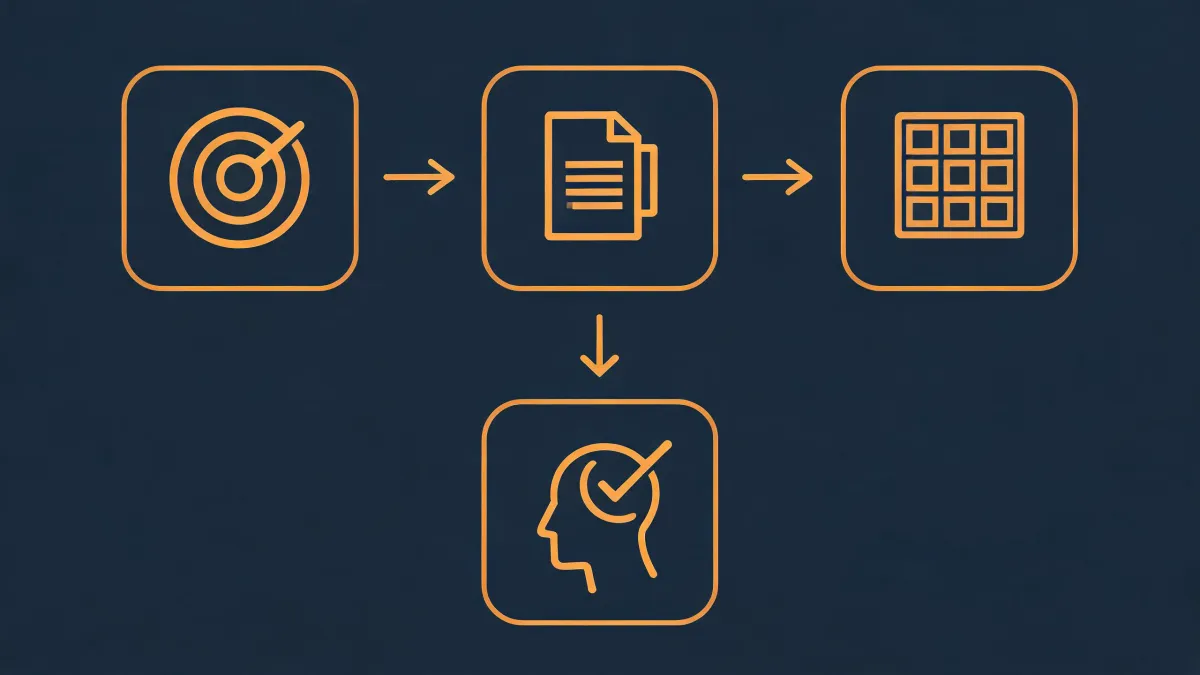
When I audited our 2025 spending, I built a simple TCO spreadsheet. It had five columns:
- Raw contact price
- Verification cost
- Enrichment cost
- Intent data cost, if any
- SDR cleanup hours at a loaded rate
The vendor with the lowest raw price was the second-most expensive after normalization. That's a red flag I won't ignore again.
This is also where transparency matters. The vendor who lists every fee upfront—even if the total looks higher—usually costs less in the end. I've learned to ask what's NOT included before I ask what the price is.
Okki Go vs Hunter: where each one makes sense
Hunter is good at what it does. It's clean, fast, and useful for domain searches, pattern-based emails, and small teams that already have a workflow. I'm not going to pretend it isn't. If your outbound volume is low and your main job is finding an email from a known company domain, Hunter may be all you need.
Okki Go is broader. The Okki Go business email finder sits inside a prospecting system that includes a contact database, waterfall enrichment, intent data, email verification, and agent-native prospecting. That matters when your problem isn't just finding emails. It's keeping the whole contact database clean and making sure the handoff to outreach is human-in-the-loop, not a blind blast.
Here's how I'd decide:
- Choose Hunter if you need domain search, simple email finding, low volume, and you already have verification and enrichment covered.
- Choose Okki Go if you want one workflow for prospecting, enrichment, verification, and intent signals—and you care about cost per usable contact.
- Run both if you have different use cases: Hunter for quick lookups, Okki Go for list building and triggered outreach.
Then again, if you're only comparing Okki Go vs Hunter on raw credits, you're missing the point. The contact database and verification layer is where the money leaks.
What a sales trigger is—and when a B2B sales team should use it
What is a sales trigger and when should a B2B sales team use it? A sales trigger is an observable event or signal that suggests a prospect may have a timely need. Examples: a funding round, a key hire, a job change, a hiring surge, a tech stack change, a website visit spike, a competitor mention, an expansion, or a compliance deadline.
But a trigger is only useful if it changes your outreach. If it doesn't, it's just an expensive notification.
Use sales triggers when four things are true:
- The trigger maps directly to a problem you solve.
- The account fits your ICP. A trigger on a bad-fit account is still a bad lead.
- The data is fresh. Intent data has a shelf life. A 30-day-old signal is often too late.
- You can act within 48 hours. If your SDRs won't follow up for a week, don't pay for trigger data.
Don't use triggers when you can't personalize, can't follow up, or can't verify the signal source. I'd also be careful with generic intent scores. If the vendor can't tell you which pages, topics, or events caused the score, you're buying a mood ring, not a trigger.
In an Okki Go workflow, waterfall enrichment plus intent can help connect signals to the right contact. That's powerful. But only if your team has the capacity to use it. Otherwise, you've just bought more expensive noise.
Email verification: the 100% myth and the questions I ask
No email verification tool can guarantee 100% accuracy or 100% deliverability. If a vendor says it can, that's not confidence. That's a red flag. Per FTC advertising guidelines (ftc.gov), claims must be truthful and substantiated. So I ask for the methodology, not the marketing line.
My verification scorecard looks like this:
- What counts as verified? Syntax, domain, MX, SMTP, catch-all?
- How do you handle catch-all domains, role accounts, and disposable emails?
- What's the 30-day bounce rate after verification?
- Is verification included or a separate credit charge?
- Can I export the audit trail?
- What happens when a record fails verification?
With Okki Go, the business email finder and verification are part of the same workflow, which cuts down on manual handoffs. We still run a secondary verification pass before any campaign. Not because Okki Go failed. Because no single pass is perfect, and I don't want our domain reputation riding on a vendor promise.
This gets into legal compliance territory, which isn't my expertise. I'm not a privacy lawyer, so I can't speak to GDPR or CAN-SPAM specifics. What I can tell you from a procurement perspective is this: ask for the data source, retention policy, opt-out process, and DPA before you sign. If a vendor gets vague there, walk.
The hidden cost list for any contact database or email verification contract
Before I compare Okki Go vs Hunter or any other vendor, I send the same list. It's boring. It saves money.
- Do credits expire?
- Is email verification included or extra?
- Is enrichment included or extra?
- Is intent data included or extra?
- Are there seat minimums?
- What's the overage rate?
- Is API access included?
- Does CRM sync cost extra?
- How long can we retain and use the data?
- What's the cancellation and renewal policy?
I assumed more credits meant more pipeline. Didn't verify. Turned out we bought 100,000 credits and used 18,000 because our filters were too broad and the good records were buried. That was a $2,400 lesson in list hygiene.
We also had a communication miss with one vendor. I said verified emails. They heard valid syntax. Result: a 22% bounce rate on the first batch. We both used the word verified and meant different things. Now I ask for a sample audit before any bulk order.
Boundary conditions: when this advice doesn't apply
This worked for us, but we're a B2B SaaS company with a defined ICP, 6 SDRs, and a predictable outbound motion. If you're a two-person agency doing high-volume local outreach, or a seasonal business with demand spikes, the calculus might be different. Okki Go vs Hunter may not even be your real decision. Your real decision might be whether you need a contact database at all.
Also, if you can't act on triggers within 48 hours, don't buy trigger data. If you don't have a clean ICP, fix that first. If you need same-day in-person delivery—wrong article. But for B2B prospecting, the math is usually the same: count the total cost, not the first invoice.
Bottom line: Hunter is a good tool for simple email finding. Okki Go is the stronger workflow when you want contact data, waterfall enrichment, intent, verification, and human-in-the-loop outreach in one place. But the winner in Okki Go vs Hunter isn't the brand on the invoice. It's the system that gives you the lowest cost per usable, reachable, timely contact.